
OC Tag
The most powerful tag we have at our disposal, the OC tag is useful for identifying which character you're using during a roleplay! This tag is meant to be somewhat similar to how SL2 implements their character icons, albeit significantly simpler and cleaner. The internal implementation of this will be changed internally and controllable by every user, but the day for that isn't today.
So... How do you use it?
OC Tag Guide
OC Tag Guide
Re: OC Tag Guide
Usage This part of the guide will show you how exactly to use the tag itself.
To begin with things, the syntax of the OC tag works like this:
Code: Select all
[oc={IMG-NUMBER}]{OC-NAME}[/oc]It should be self-explanatory enough. The IMG-NUMBER inside picks which icon number to use, while the OC-NAME decides which OC folder the image is being picked from.
In use, it should look like this:
Code: Select all
[oc=1]Narmienne[/oc]This is picking the image named 1.jpg from Narmienne's folder.
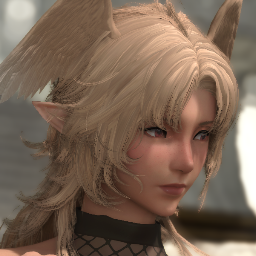 "It'll look like this in the forum itself. You can simply put your quoted text right after the OC tag since it'll automatically wrap to the image."
Here's how it looks in code:
Code: Select all
[oc=1]Narmienne[/oc] "It'll look like this in the forum itself. You can simply put your quoted text right after the OC tag since it'll automatically wrap to the image."I heavily encourage using two linebreaks tag (The "br" button near the "center" button up top) in combination with the OC tag. You'll want to use two linebreaks after your first character's dialogue and actions to prevent your other characters' image and text from wrapping onto the first OC image.
The best way to do this is to show it in code and in action.
With 2 Linebreaks (In Action)
"This is the first character's dialogue."
"This is the second character's dialogue and actions but with a linebreak after the first one!."
With 2 Linebreaks (Code)
Code: Select all
[oc=1]Narmienne[/oc] "This is the first character's dialogue."
[br][br]
[oc=1]Narmienne[/oc] "This is the second character's dialogue and actions but with a linebreak after the first one!."
[br][br][br]
To explain it simply, after I got finished typing out my character's dialogue / actions, I pressed enter so I could type in two BR tags below that dialouge. A single BR tag is equivalent to one press of the "enter" key, but sometimes linebreaking using just the enter key and without any BR tags isn't accepted by post formatting, it's weird.
Re: OC Tag Guide
Uploading Icons This is how you get icons to be usable.
I'll be frank: you can't directly manage the icons yourself without me as these files are stored internally in the server's storage itself. Because of this, I've come up with a system of how to upload things. Let's go about this step by step.
Step 1: Get your character images
Of course, you'll need to make a character icon first before you can use it. Take a photo / any art of your character and crop a square icon for them. Make sure that their face is visible!
Step 2: Resizing and Formats
OC Icons are displayed in 64x64 and are stored in .jpg files, so it'd be appreciated if you adjusted its dimensions and image format before you give them to me for uploading. There's no file size limit, don't worry.
Step 3: File Naming
Each of your icons should be named after an integer, for example: 1.jpg, 2.jpg, 3.jpg. This is because the {IMG-NUMBER} only accepts integers, so you can't make it any more descriptive unfortunately.
Step 4: Compilation
Now that you've got your images (or image), place it inside a folder named after your character. It'd be best to make that folder name your character's first name so it's easy to type in and manage internally in the storage.
Step 5: Compression and Uploading
You can now just right click the folder where your images are stored at, click compress to, and select ZIP. Other compression formats can work, but ZIP is the easiest to work with. Once it's compressed, send it to me through Discord and I'll upload it to the server's storage.
Of course, you can entirely bypass all of this and just have me make the icons for you, but I'm usually quite busy, so it'll either take me a really long time to do or I'll forget entirely. So please, follow the process if you can.